
Our editor gives you access to high-quality stock images, illustrations, and icons from several different platforms, ready for you to use in your designs. We source content from: Icons8, Moose Photo Creator, Ouch! Illustrations, Pixabay, Noun Project, Pexels, and Unsplash.
Accessing stock images in the editor
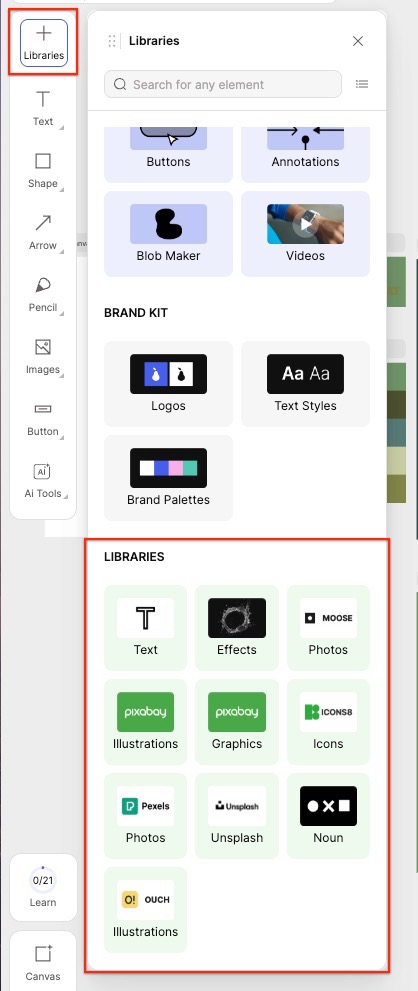
- Click the Libraries (+) icon in the left panel.
- Scroll down to find the Libraries section.
- Select from any of our premium stock:
• Photos
• Illustrations
• Graphics
• Icons
• Noun
• Unsplash
From there, you can browse and insert any stock asset directly onto your canvas, then customize it just like any other element.
← Explore more Glorify articles
Need more help?
You can always get in touch with our support team—just click Support in your Leadpages navigation menu, or submit a ticket ↗